A language model is a mathematical model that describes a human language as a probability distribution over its vocabulary. To train a deep learning network to model a language, you need to identify the vocabulary and learn its probability distribution. You can’t create the model from nothing. You need a dataset for your model to learn from.
In this article, you’ll learn about datasets used to train language models and how to source common datasets from public repositories.
Let’s get started.

Datasets for Training a Language Model
Photo by Dan V. Some rights reserved.
Overview
This article is divided into three parts; they are:
- A Good Dataset for Training a Language Model
- Getting the Datasets
- Post-Processing the Datasets
A Good Dataset for Training a Language Model
A good language model should learn correct language usage, free of biases and errors. Unlike programming languages, human languages lack formal grammar and syntax. They evolve continuously, making it impossible to catalog all language variations. Therefore, the model should be trained on a dataset rather than constructed from rules.
Setting up a dataset for language modeling is challenging. You need a large, diverse dataset that represents the language’s nuances. At the same time, it must be high quality, presenting correct language usage. Ideally, the dataset should be manually edited and cleaned to remove noise like typos, grammatical errors, and non-language content such as symbols or HTML tags.
Creating such a dataset from scratch is costly, but several high-quality datasets are freely available. Common datasets include:
- Common Crawl. A massive, continuously updated dataset of over 9.5 petabytes with diverse content. It’s used by leading models including GPT-3, Llama, and T5. However, because it’s sourced from the web, it contains low-quality, duplicate content, as well as biases and offensive material. Rigorous cleaning and filtering are required to make it useful.
- C4 (Colossal Clean Crawled Corpus). A 750GB dataset scraped from the web. Unlike Common Crawl, this dataset is pre-cleaned and filtered, making it easier to use. Still, expect potential biases and errors. The T5 model was trained on this dataset.
- FineWeb. A dataset that is cleaned and deduplicated from the English subset of Common Crawl. Currently consists of 18.5 trillion tokens, approximately 50 terabytes.
- Wikipedia. English content alone is around 19GB. It is massive yet manageable. It’s well-curated, structured, and edited to Wikipedia standards. While it covers a broad range of general knowledge with high factual accuracy, its encyclopedic style and tone are very specific. Training on this dataset alone may cause models to overfit to this style.
- WikiText. A dataset derived from verified good and featured Wikipedia articles. Two versions exist: WikiText-2 (2 million words from hundreds of articles) and WikiText-103 (100 million words from 28,000 articles).
- BookCorpus. A few-GB dataset of long-form, content-rich, high-quality book texts. Useful for learning coherent storytelling and long-range dependencies. However, it has known copyright issues and social biases.
- The Pile. An 825GB curated dataset from multiple sources, including BookCorpus. It integrates diverse text genres (books, articles, source code, and academic papers), providing broad topical coverage that supports multidisciplinary reasoning. However, this diversity results in variable quality, duplicate content, and inconsistent writing styles.
Getting the Datasets
You can search for these datasets online and download them as compressed files. However, you’ll need to understand each dataset’s format and write custom code to read them.
Alternatively, search for datasets in the Hugging Face repository at https://huggingface.co/datasets. This repository provides a Python library that lets you download and read datasets in real time using a standardized format.
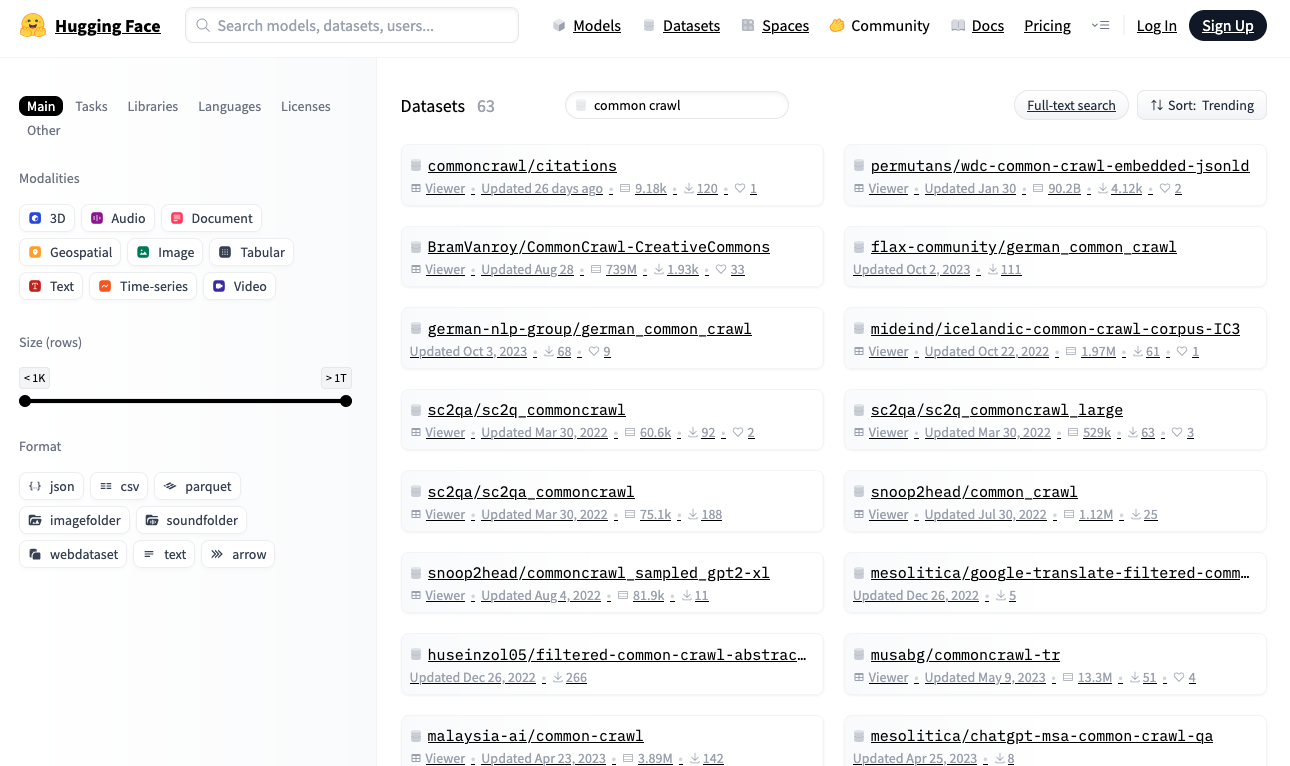
Hugging Face Datasets Repository
Let’s download the WikiText-2 dataset from Hugging Face, one of the smallest datasets suitable for building a language model:
The output may look like this:
If you haven’t already, install the Hugging Face datasets library:
When you run this code for the first time, load_dataset()
downloads the dataset to your local machine. Ensure that you have
sufficient disk space, particularly for large datasets. By default,
datasets are downloaded to ~/.cache/huggingface/datasets.
All Hugging Face datasets follow a standard format. The dataset
object is an iterable, with each item as a dictionary. In language
model training, datasets typically consist of text strings. In this
dataset, text is stored under the "text" key.
The code above samples a few elements from the dataset. You’ll see plain text strings of varying lengths.
Post-Processing the Datasets
Before training a language model, you may want to post-process the dataset to clean the data. This includes reformatting text (clipping long strings, replacing multiple spaces with single spaces), removing non-language content (HTML tags, symbols), and removing unwanted characters (extra spaces around punctuation). The specific processing depends on the dataset and how you want to present text to the model.
For example, if training a small BERT-style model that handles only lowercase letters, you can reduce vocabulary size and simplify the tokenizer. Here’s a generator function that provides post-processed text:
Creating a good post-processing function is an art. It should improve the dataset’s signal-to-noise ratio to help the model learn better, while preserving the ability to handle unexpected input formats that a trained model may encounter.
Further Readings
Below are some resources that you may find them useful:
- Hugging Face Datasets Library
- Hugging Face Datasets Repository
- Common Craw Repository
- The Pile Dataset
- Will Orr “9 Ways to See a Dataset: Datasets as Sociotechnical Artifacts – The case of ‘Colossal Cleaned Common Crawl’ (C4)“
Summary
In this article, you learned about datasets used to train language models and how to source common datasets from public repositories. This is just a starting point for dataset exploration. Consider leveraging existing libraries and tools to optimize dataset loading speed so it doesn’t become a bottleneck in your training process.






No comments:
Post a Comment